Technology
Upgraded Your Phone and Lost the Codes? Comparing the Second Factors That Survive a Handover
Most household lockouts trace back to a handover: an old phone wiped, or one person holding all the logins. Here is how each second factor behaves when that happens.
Technology·Neville Pemberton
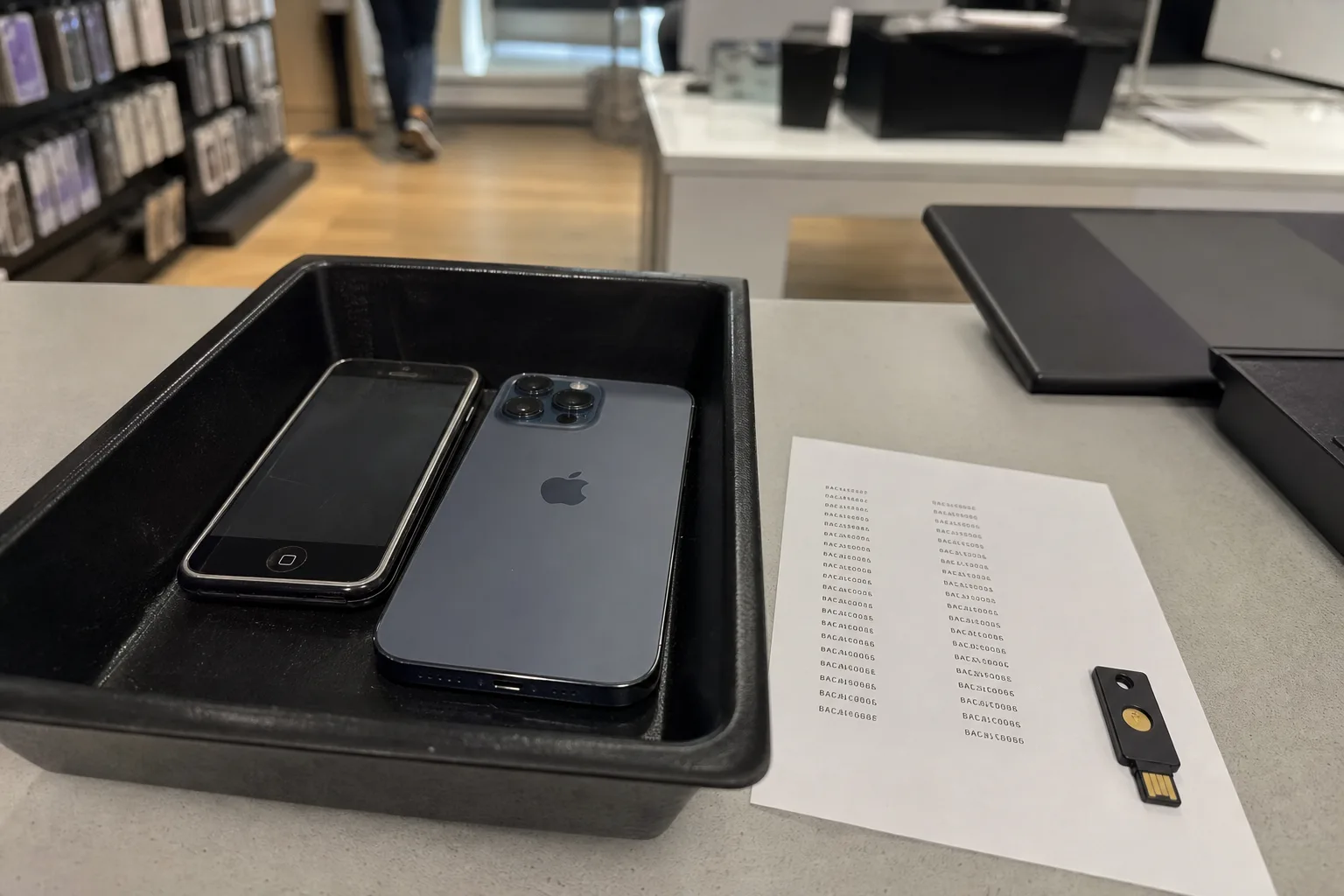
The lockout almost never happens on the day you change a password. It happens six weeks later, in a phone store, after the trade-in has already been wiped and boxed, when the bank asks for a six-digit code from an app that no longer exists anywhere. The advice that got you here was sound in its own terms: stop reusing passwords, turn on two-factor authentication, keep a long unique passphrase for everything that touches money. What that advice rarely covers is the moment your accounts pass from one device to another, or from one person in the household to another, which is where the failures collect.
The two handovers that decide whether you get locked out
There are only two transfers that matter in a household. The first is device to device: an old phone dies, gets traded, gets stolen, or gets factory reset by a store employee who was doing exactly what you asked. The second is person to person: one adult set up the utilities, the insurance portal, the pharmacy account and the mortgage servicer, and then that adult is in a hospital bed, on a plane, or simply not answering. Every security choice you make should be tested against both, because a setup that is excellent against a stranger in another country can be useless against a Tuesday afternoon.
Most people never run that test, and the consequences do not announce themselves as security problems. A late fee appears because the autopay card expired and nobody could reach the account to update it. A prescription refill stalls. A claim adjuster asks for photos that live in an account with a dead second factor. These read as bad luck or bad admin. They are the direct output of a decision made months earlier about where the codes live, and the National Institute of Standards and Technology, which is responsible for the federal guidance that most banks and employers echo, has spent years pushing organizations toward methods that hold up under exactly this kind of ordinary disruption.
Comparing the second factors on one test: does it survive the phone?
Text-message codes are the method everyone was pushed onto first, and on the handover test they do better than their reputation suggests. The code follows the phone number, not the handset, so a new phone with the same SIM or eSIM keeps working. The weakness is the carrier account itself: if someone convinces the carrier to move your number, they receive every code, and if your carrier login is weak you have quietly made the phone company the guard on your bank. Texts are the fallback of last resort, worth keeping enabled on low-stakes accounts and worth replacing on anything holding money.
Authenticator apps are stronger against interception and much weaker on the handover unless you deliberately fix that. The code is generated from a secret stored on the device, so a wiped phone takes the secrets with it. Modern authenticator apps offer an encrypted cloud backup tied to your app store account or a separate password, and turning that on is the single highest-value ten minutes in this whole exercise. If you prefer no cloud copy at all, the alternative is enrolling a second device, a tablet or a spouse's phone, at the moment you set each account up rather than after.
Hardware security keys, the small USB or NFC tokens, are the most resistant to phishing and the most literal about handover: whoever holds the key can authenticate, and whoever does not, cannot. Households that use them well buy two, enroll both on every account, and keep the spare somewhere a second adult can reach, which is usually a fireproof box at home rather than a safe deposit box that requires bank hours. The failure mode is enrolling one key, losing it, and discovering that the recovery path you skipped is the only path left.
Passkeys are the newer option and they change the shape of the problem rather than just hardening it. Instead of a password plus a code, the device itself holds a cryptographic credential unlocked by your face, fingerprint, or device PIN. Because passkeys sync through your Apple, Google, or Microsoft account, they survive a phone replacement more gracefully than anything before them: sign in to the new handset and the credentials arrive. The tradeoff is concentration. That platform account becomes the thing protecting everything else, so it needs its own strong second factor and its own recovery plan before you lean on it.
Printed backup codes are the boring answer that keeps working
Almost every service that offers two-factor authentication also offers a set of one-time backup codes, and almost nobody saves them. They are the only method on this list that does not depend on a device, a carrier, a battery, or a platform account, which makes them the natural bridge across both handovers. Print them, write the service name on the page, and put them where the household already keeps the passport and the birth certificates. A sealed envelope in that folder is not sophisticated security, but it is available at midnight to a spouse who has never opened the account before.
The comparison worth making here is not between codes on paper and codes in an app. It is between a paper code and nothing, because nothing is what most households actually hold. There is a real reason to keep the list short: eight or ten accounts that genuinely matter, meaning the primary email, the bank, the brokerage, the insurance portal, the mortgage or landlord portal, the phone carrier, and the pharmacy. Everything else can be rebuilt from those. Trying to document all two hundred logins on paper is how the project dies in week one.
The recovery email is the master key, and it is usually the weakest account
Trace any password reset to its end and you arrive at an email inbox. That inbox can reset the bank, the utilities, the airline, and in many cases the phone carrier, which means the strength of your household security is capped by whatever protects it. This is where the old advice does real damage, because the primary email is often the oldest account anyone owns, created before password managers existed, still carrying security questions with answers a relative could guess, and sometimes forwarding to a defunct work address nobody remembers adding.
Fixing it is a discrete afternoon. Give the primary email its own long passphrase that appears nowhere else, attach a second factor that survives a phone swap, print the backup codes, and then read the account's security settings line by line for the parts you did not set: forwarding rules, app passwords issued years ago, recovery phone numbers you no longer control, and trusted devices you sold. Removing a stale recovery address is a thirty-second action that closes a door most people do not know is standing open.
What the person-to-person handover actually needs
Institutions solve this with role accounts and delegated access. A household solves it with a shared password manager vault and one honest conversation. Both major consumer managers, and the ones built into the platforms, allow a shared collection: the utilities, the insurance, the pharmacy, the streaming services, the accounts that any adult in the house may legitimately need. Personal email and personal banking can stay outside it. Several managers also offer an emergency access feature that grants a named person entry after a waiting period if you do not decline, which handles the case nobody wants to plan for.
The test is simple enough to run tonight. Hand the other adult a laptop and ask them to pay the water bill and find the homeowners policy number without asking you anything. Whatever they cannot reach in five minutes is your actual gap, and it will be smaller and more specific than you expected: usually one stale recovery address, one authenticator app with no backup, and one account still guarded by a password from 2014. Fix those three and the household survives both handovers.